
Coding agents + task management · macOS today · Linux and Windows soon
Your coding agents.
Your task board.
Plan tasks, run agents in parallel, and review changes in one desktop workspace. Launch Claude Code or Codex from a task, or run any other installed CLI agent in a Shell pane.
Bring your own agents and provider access.
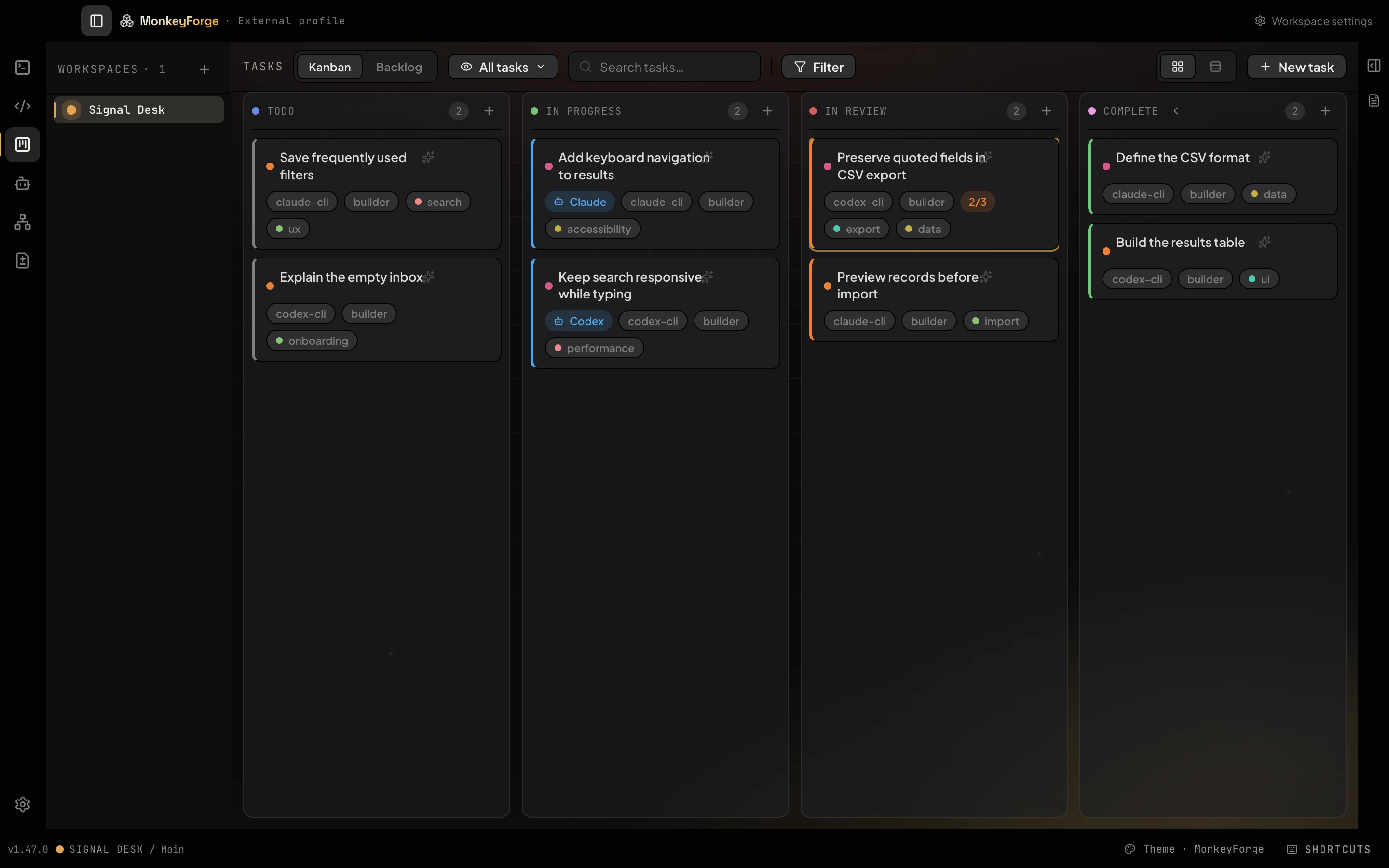
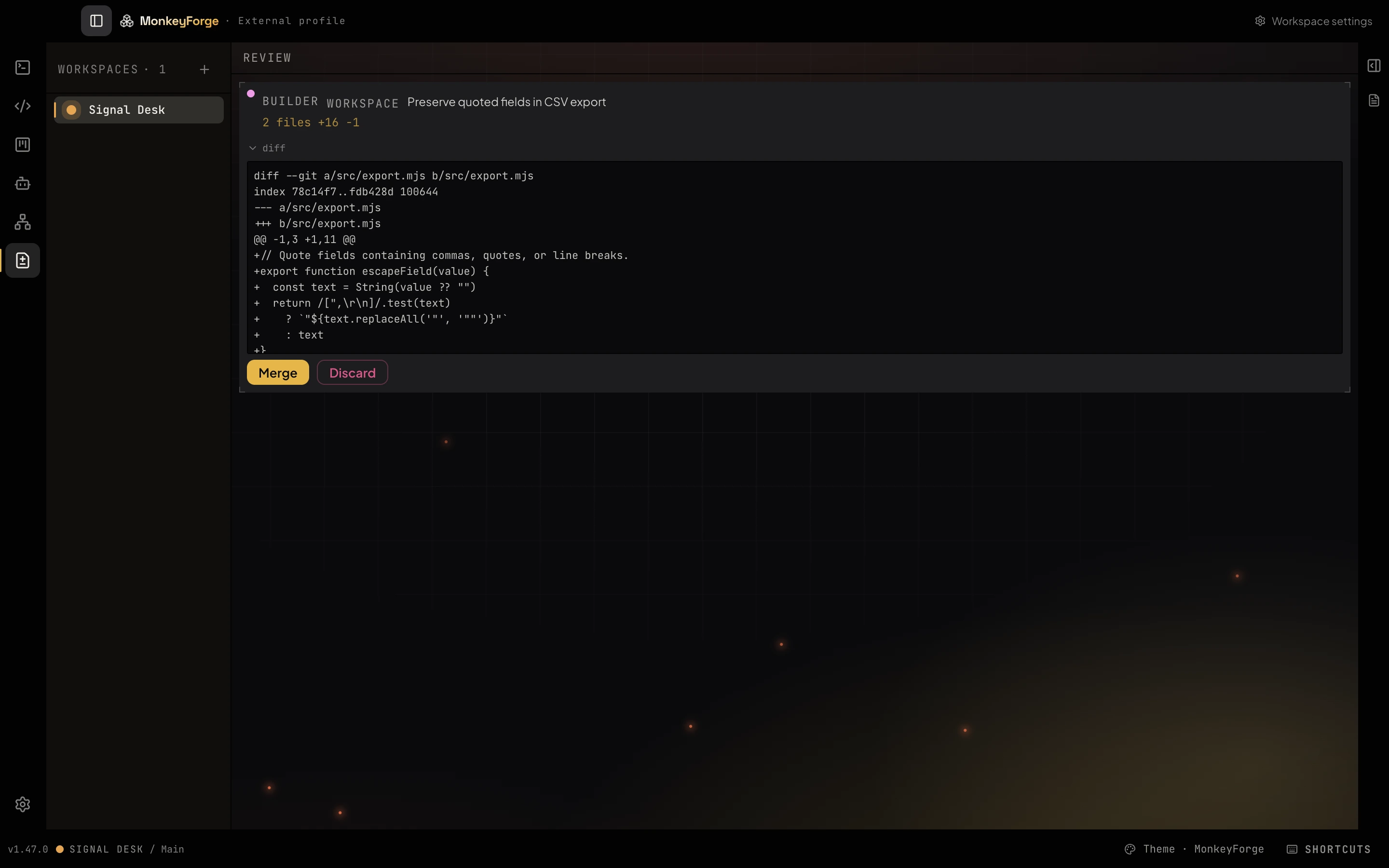
From a brief
to a reviewed change.
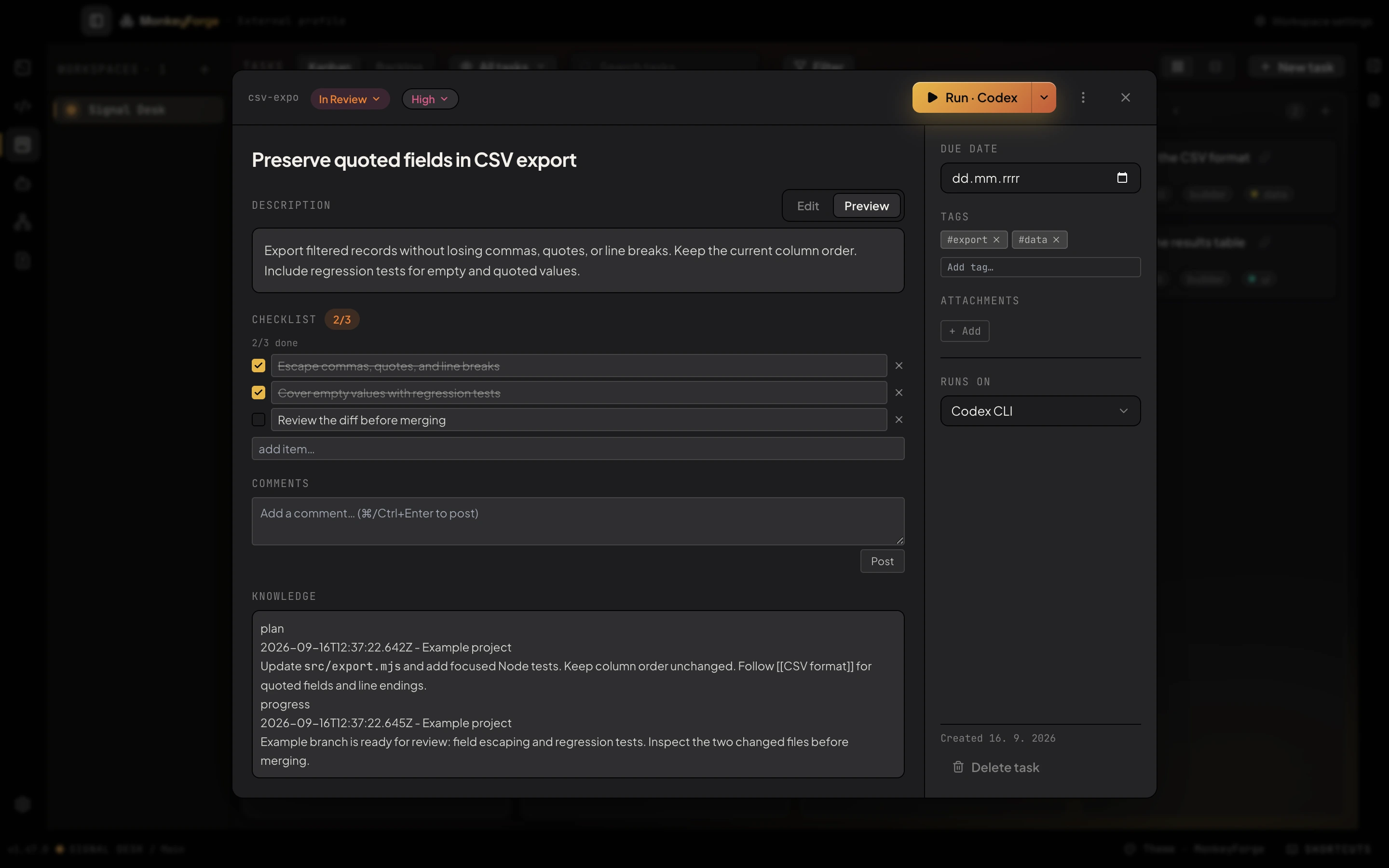
Follow one task through the actual app. The brief, agent run, and review stay connected.
Eight agent panes.
One shared workspace.
Put Claude Code, Codex, and your other CLI agents side by side. Open a Shell pane to run any agent installed on your machine. Organize panes into spaces across one or more project folders.
For a coordinated mission, start a swarm with agent roles and a shared mailbox. Tasks and project context keep the work connected.
Included in the desktop app ↗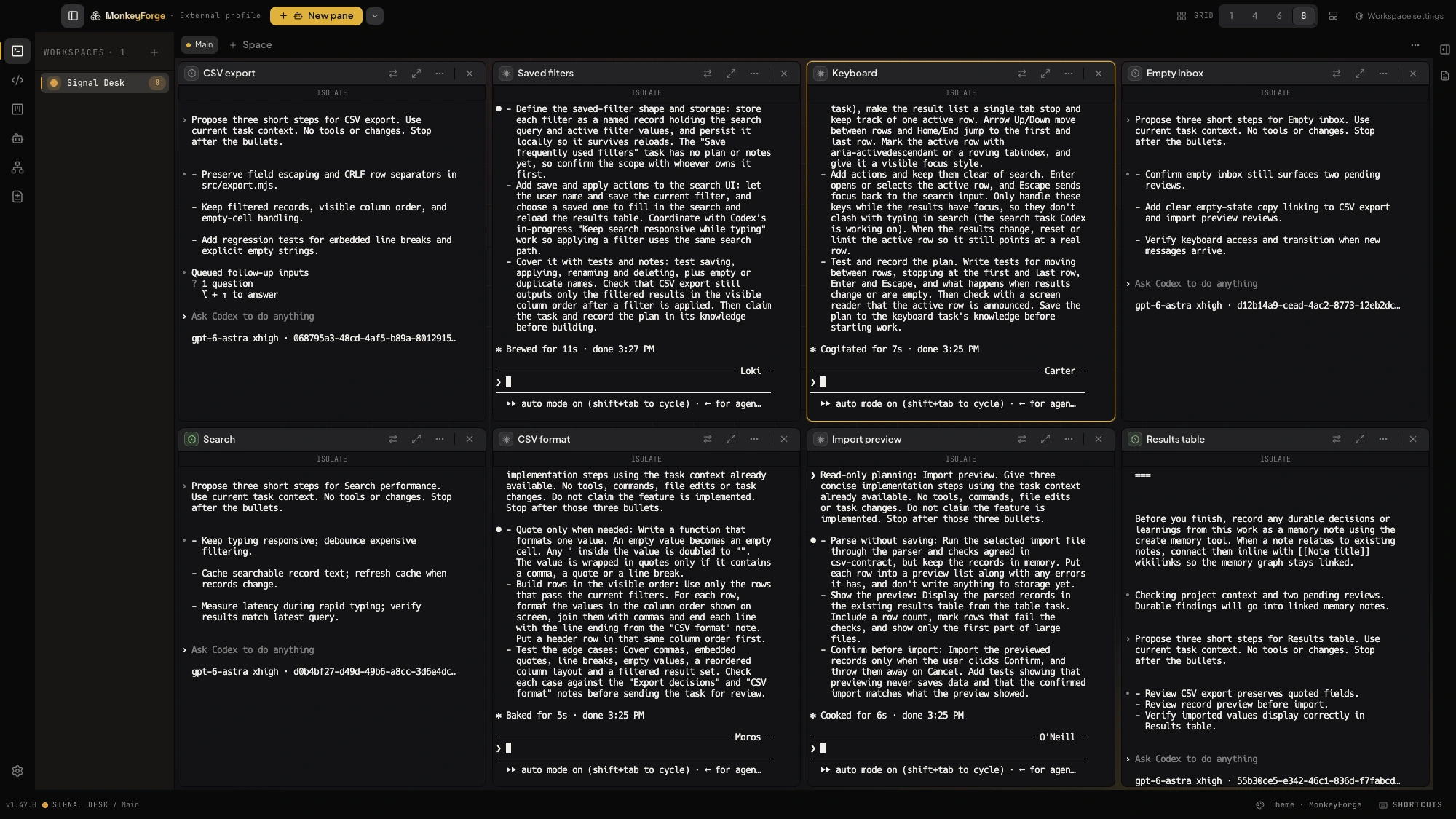
Keep the decisions.
Not just the chat.
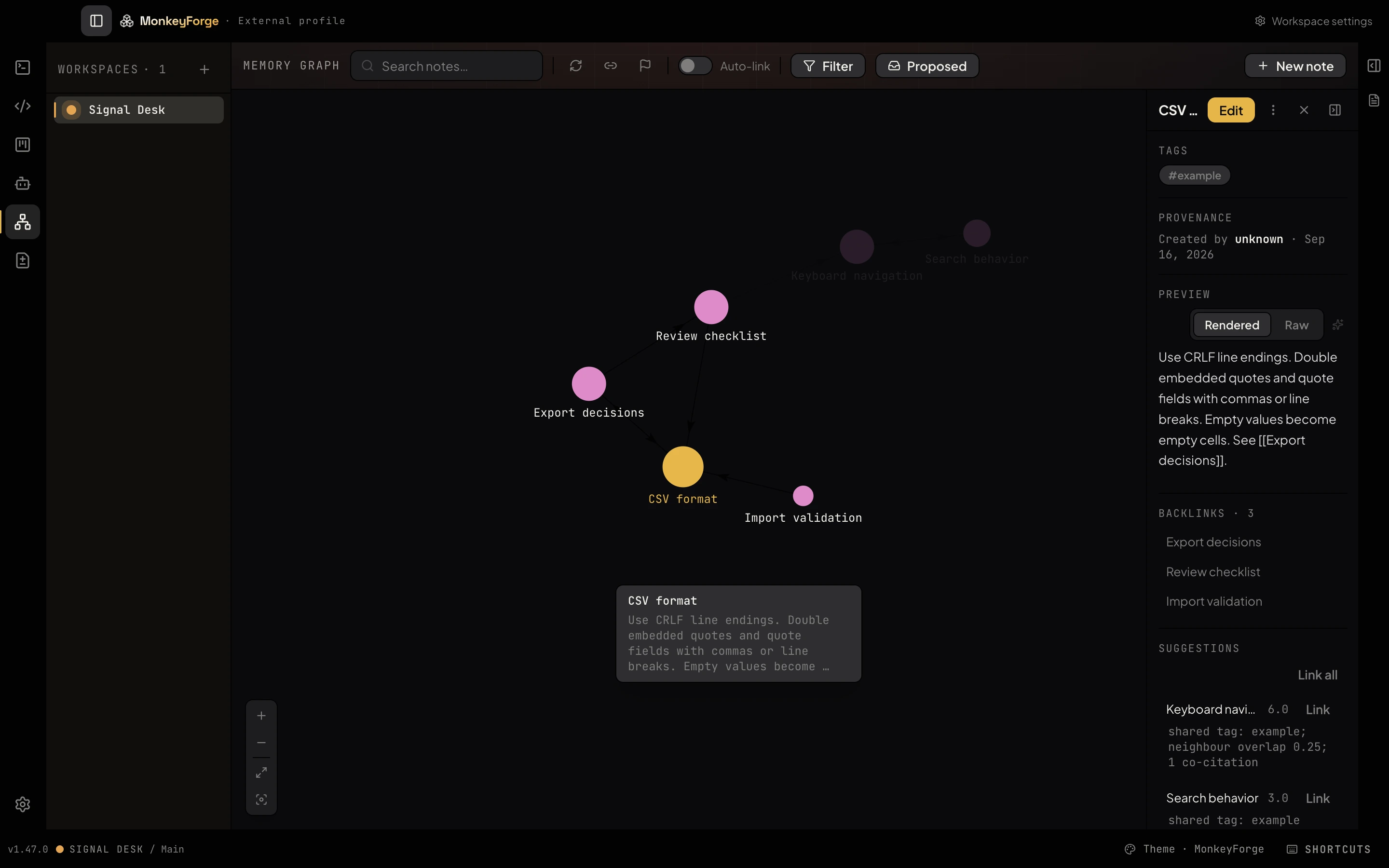
ForgeContext gives your agents shared tasks, task knowledge, a mailbox, and linked project memory. Decisions stay available after the terminal closes.
- Stored on your machine
- Project files, tasks, and memory live locally. No Cloud plan required.
- Your agents, your subscriptions
- Bring your own agent access. Context sent to an agent’s provider follows that provider’s data handling.
Buy once. Bring your agents.
One price for the desktop.
Cloud when you want it.
Desktop Lifetime is a one-time purchase tied to your account, good on every Mac you sign into. No credits, no seat counting, no markup on your agents — you keep paying Claude Code or Codex directly, and nothing else.
- Agent panes and a full shell for every CLI agent you already have
- Task board, task knowledge and project memory — local, on your disk
- Spaces, swarms and worktree review
- All v1.x desktop updates, forever
macOS on Apple silicon today; Linux and Windows builds are coming, and your license will cover them. Anything that runs on your machine is Desktop. Anything we host for you — a relay, tasks in the browser — is Cloud, and only that is a subscription.
Already own it? Download the app ↗Desktop Lifetime · v1 · one payment
Yours for good. Prices exclude VAT; tax is added at checkout.
Sign in, buy, download. The license lives on your account — the same one you use in the app.
Cloud · subscription · coming
Your workspace, from anywhere.
- Remote Mirroring: watch and drive your desktop's terminals from a phone or any browser
- Tasks in the browser, in sync across your machines
- Hosted by us, so it costs by the month — and only while you use it
Needs Desktop. Price announced at launch; monthly, cancel any time. Nothing you own locally ever moves behind it.
Tell me when Cloud opensA few practical
answers.
Ask us a question ↗What do I need to get started?
Today, a Mac with Apple silicon; Linux and Windows builds are coming, and one license covers every platform. Install and authenticate the CLI agents you want to use. MonkeyForge brings the workroom; agent access and usage are handled by your existing provider.
Can I use other coding agents?
Yes. Open a Shell pane and run any CLI agent installed on your Mac. Direct task launches and provider controls are integrated for Claude Code and Codex.
How does the account license work?
One license belongs to the account you purchase with, such as your Google account. Download the desktop app and sign in using that same account to activate it.
What does lifetime cover?
Permanent access to the MonkeyForge desktop app v1.x, including every v1.x update, on every Mac you sign into. A future major version is a separate upgrade — v1 owners hear about it first. Desktop Lifetime does not include Cloud services.
Why is Desktop one payment and Cloud a subscription?
Because of where things run. The desktop app runs on your Mac and costs us nothing per month, so you pay for it once. Cloud is a relay and a web app we host for you — Remote Mirroring from your phone, tasks in the browser — and hosting is a monthly cost, so Cloud is monthly. The task board, agent runs, memory and worktree review on your Mac never need Cloud.
Do I need Cloud to use MonkeyForge?
No. Desktop Lifetime is the whole product on your Mac. Cloud adds reach — your desktop from another device — and you can add it later, or never.
Can I work offline?
Initial sign-in and activation need an internet connection. The activated v1 license is verified locally. Tasks and stored context remain available offline; coding agents generally need a connection to their providers.
Does every agent get a worktree?
You choose when to isolate a run. Enable task isolation in workspace settings to put tasks on their own branches and worktrees, then use the review room to merge or discard the result.
Are my tasks stored on the website?
With Desktop Lifetime, your task board and ForgeContext memory live in the desktop workspace. This website manages your account, licenses, and billing. Remote Mirroring and the future web task manager will be part of Cloud, which is not available yet.
How does launch pricing work?
Two launch bands of 100 places each, then the regular price. The current price and how many places are left come from the live store; opening checkout reserves the current price for a short while. The regular price is a price like any other and can change in the future — a purchase you have already made does not.